
When I served as an Electronic Warfare Officer in Afghanistan, my job was to account for every signal that left our position and every signal that reached it. On a counter-IED team, you learn fast that the most dangerous access point is the one nobody is thinking about. That instinct never left me, and it is exactly the lens I bring to a question most high-net-worth homeowners have never been asked to consider: among the people you employ, who can reach your home network, and what happens on the day they leave.
Staff wifi access sounds like a small domestic detail. It is not. A modern estate runs on the same fabric as a small business. Cameras, door controllers, climate systems, network storage, voice assistants, and the personal phones and laptops of a housekeeper, an estate manager, a nanny, a chef, and the occasional contractor all live on the same infrastructure. Every device is both an emitter and a listener. Every credential you hand out is a door. The families who sleep well are the ones who decided, deliberately, where those doors are and who holds the keys. This is one chapter of a larger discipline I write about often in the context of luxury home security in Florida, and it is one of the easiest to get wrong.
Your Home Has a Network Perimeter Now
A generation ago, giving the housekeeper the wifi password was harmless. The network carried a laptop and maybe a printer. Today that same password, shared once and never rotated, can sit in the saved-networks list of a dozen personal devices, each of which has traveled to other homes, other networks, and other people’s hands. When someone hands their nephew a phone to fix, your network name and key can go with it.
The uncomfortable truth is that the threat here is rarely malicious. Most household staff are trustworthy, and I say that as someone who builds security systems for a living. The risk is accidental exposure: a compromised personal phone that happens to be sitting on your family network, a reused password that leaks in an unrelated breach, or a well-meaning contractor who plugs a cheap smart plug into the same network as your camera storage. The Cybersecurity and Infrastructure Security Agency, whose home-network guidance at CISA (opens in a new tab) is worth reading, has said this plainly for years: segmentation is the single most effective control most people ignore.
Separate Credentials Are a Control, Not a Courtesy
The first principle is boring and non-negotiable. Household staff and guests should never touch the same network your family, your cameras, and your storage live on.
Build a Staff WiFi Zone That Cannot See Yours
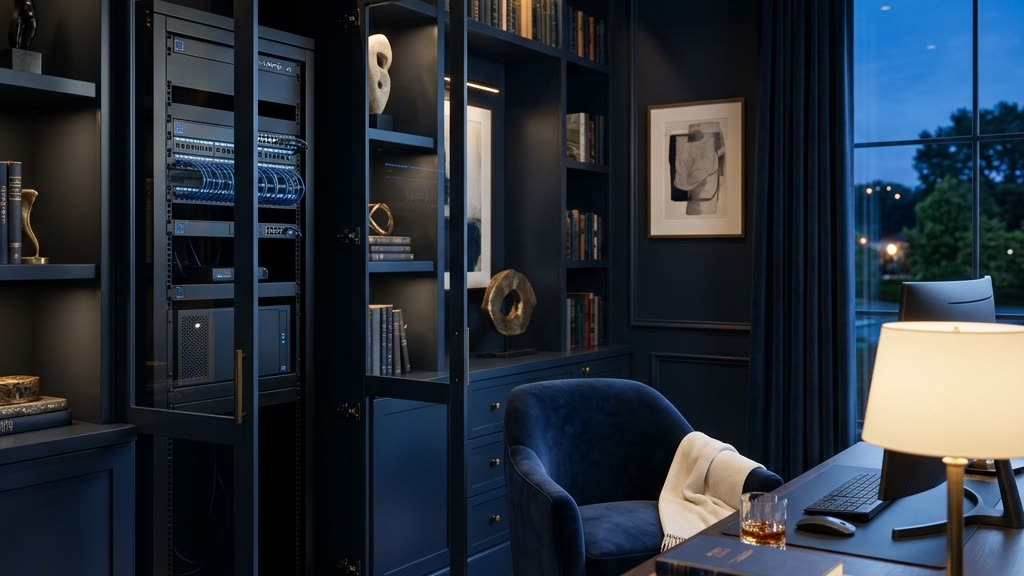
Nearly every capable router and access point sold today supports multiple isolated networks, often called VLANs or guest networks. Use them. The correct architecture for an estate has at least three logical zones: a private family network, a dedicated staff wifi access network, and an isolated network for the internet-connected devices themselves. Configured properly, a phone on the staff network can reach the internet to do its job and nothing else. It cannot browse to your camera recorder. It cannot see the network drive with family documents. It cannot discover the smart locks.
This is exactly how I thought about signal isolation in the field. You assume any single node can be compromised, and you design so that a compromise stays contained. A housekeeper’s phone getting infected should be a nuisance, not a breach of your children’s bedroom camera feed. When we design a network as part of a full family security plan, this layering is the foundation everything else sits on.
One Person, One Credential
Shared passwords are the enemy of accountability. If eight people use the same staff key, you can never answer the two questions that matter after an incident: who had access, and when. Give each staff member a distinct credential where your equipment supports it, and treat contractors as temporary by default. A landscaper who comes twice a month does not need a permanent standing key to anything. The National Institute of Standards and Technology publishes credential guidance at NIST (opens in a new tab) that has moved the whole industry toward longer, unique, and individually revocable credentials, and the same logic applies inside your walls.
Write down who has what. A simple, current access inventory, one row per person and per device, is worth more than most expensive gadgets. You cannot revoke what you have not recorded.
Cameras and the Ethics of Watching the People Who Work for You
Cameras are where digital boundaries stop being purely technical and become a matter of law, trust, and decency. I take this part seriously, and I ask my clients to as well.
Start with the legal floor. Florida treats recorded conversations as requiring the consent of all parties, which means audio recording of your staff is a different and far riskier proposition than video. In practice, the safe posture for household audio is to disable it in staff-occupied work areas unless you have counsel and clear consent. The Federal Trade Commission’s consumer guidance at FTC (opens in a new tab) is a reasonable starting point on connected-device privacy, but for recording employees you should talk to a lawyer, not a blog.
Above the legal floor is the ethical one. Cameras belong at doors, driveways, perimeters, and shared common areas. They do not belong in bathrooms, in live-in staff quarters, or in any space where a reasonable person expects privacy. Placing them there is not only likely unlawful, it corrodes the trust that makes a household function. My rule of thumb is simple: cameras exist to watch the boundary of your property, not the private moments of the people inside it.
Tell your staff the cameras exist and roughly where they are. Discreet does not mean secret. A professional who knows the exterior is monitored behaves accordingly, and transparency removes the sense of surveillance that turns good employees into resentful ones. The point is to secure the estate, not to spy on the household.
One more technical note that matters here. This is a large part of why I steer clients away from consumer cloud cameras for anything sensitive, a subject I cover in why cloud cameras like Ring and Nest are the weak link. Footage of your family and your staff should not be sitting on a third party’s server with a login that a departed employee might still know.
Offboarding Is Where Most Estates Fail
Here is the failure I see most often, and it is almost universal. Families are careful about who they let in and careless about who they let go.
When a staff member leaves, whether the parting is warm or cold, their access has to leave with them the same day. That means more than collecting a key fob. It means revoking their wifi credential, removing them from any camera or smart-home app that was shared to their phone, changing any shared codes they knew, and confirming their personal devices are gone from the network’s known-device list. A departed estate manager who still has the app that unlocks your gate is a standing vulnerability, and it will not announce itself.
This is the single strongest argument for the individual-credential discipline I described earlier. If everyone shares one key, offboarding one person means re-keying the entire household and re-onboarding everyone else, so in practice nobody does it. If each person has their own credential, offboarding is a clean thirty-second revocation that affects no one else. Design for the exit before you need it.
For families managing complex households, the offboarding checklist belongs in the same binder as the rest of the plan. The considerations shift with the household. They look different when teenagers are home alone after school with staff coming and going, and different again when you are securing an aging parent’s estate where caregivers rotate and a revolving cast of aides needs supervised, time-boxed access. The principle holds across all of them: access is granted narrowly, recorded honestly, and revoked promptly.
Where Detection Fits
Segmentation, credentials, and offboarding are the discipline. Detection is the safety net for when discipline slips, and it always slips somewhere. As the exclusive reseller partner for GuardDog AI, our veteran-owned team deploys, integrates, and tunes that enterprise intrusion-detection platform inside residential networks so that an unexpected device, a credential behaving strangely, or a connection that should not exist gets flagged before it becomes an incident. It is a third-party platform, not something we built, and that is precisely why I trust it: it does one hard thing at an enterprise standard. You can read how we approach that work on our GuardDog page. For estate owners around Fort Myers and the surrounding coast, that layer is often what turns a good architecture into a resilient one.
Frequently Asked Questions
Should I really give household staff a different wifi network than my family?
Yes, without exception. A separate staff wifi access network keeps their personal devices from ever seeing your cameras, storage, and smart locks. Modern routers make this a configuration choice, not a hardware purchase, and it is the highest-value change most estates can make in an afternoon.
Is it legal to put cameras where my staff work?
Video in exterior and shared common areas is generally acceptable, and telling staff the cameras exist is both wise and fair. Audio is the trap: Florida requires all-party consent for recorded conversations, so disable audio in work areas unless you have legal counsel. Never place cameras in bathrooms or live-in quarters.
What is the one thing families forget when an employee leaves?
Digital access. People collect the physical keys and forget the wifi credential and the shared phone apps. Revoke network access, remove the person from every camera and smart-home app, and change any codes they knew, all on their last day.
How often should I rotate credentials even if no one has left?
Treat it like any hygiene task. Rotate the staff and guest credentials on a regular cadence, and immediately after any contractor project or any device you suspect was compromised. Individual credentials make this painless because you rotate one without disrupting everyone else.
Digital access boundaries are not about distrusting the people who make your household run. They are about designing a home where a single mistake, by anyone, stays small. If you want a quiet, professional review of who can reach your network and what happens when they leave, request a private consultation or call us at (239) 710-1772. We will map the doors, decide together who holds the keys, and make sure the exits are as well planned as the entrances.