
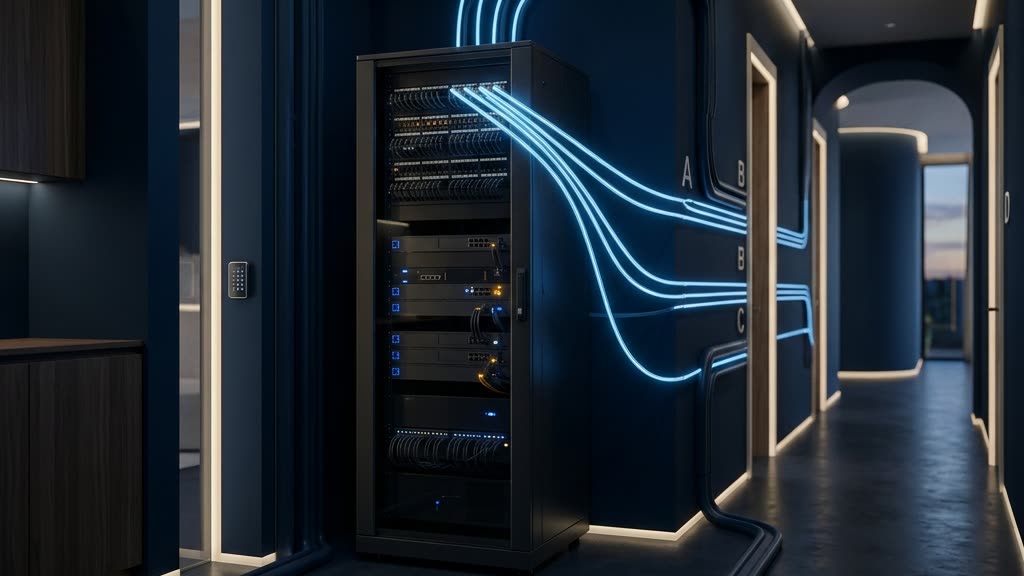
Walk through any well-appointed home built or renovated in the last decade and count the connected devices: cameras, doorbells, thermostats, televisions, speakers, motorized shades, pool controllers, irrigation systems, even the wine cellar monitor. In most homes, every one of those devices shares a single network with the laptop that holds your financial life and the phone that holds everything else. That is the factory-default configuration, and it is one of the quietest, most consequential risks in residential security. The fix is network segmentation, and in practical terms that means a VLAN smart home architecture: one physical network divided into several isolated virtual networks, so a compromised gadget cannot reach anything that actually matters.
I came to this work from the signals side of the Army. As an Electronic Warfare Officer in Afghanistan, my job lived on the invisible battlefield, and one lesson from that world transfers directly to residential networks: separation wins. When you can isolate a hostile signal from the systems you need to protect, you control the engagement. When everything shares the same channel and the same trust, one compromise becomes a cascade. Your home network obeys the same physics. This post explains VLANs in plain English, shows why cameras and IoT devices belong in isolation, and walks through how segmentation stops the technique that turns an inexpensive smart plug into a master key.
What a VLAN Is, in Plain English
VLAN stands for virtual local area network. Strip away the jargon and the concept is simple: a VLAN takes one physical network, the cabling and access points already in your walls, and divides it into separate logical networks that behave as if they were physically independent.
The analogy I use with clients is a large residence with separate wings. A flat network, the default in nearly every home, is one enormous great room. Every person and every device stands in the same space, sees everyone else, and can walk up to anything. A segmented network is the same square footage divided into wings with locked doors between them: the family wing, the guest wing, the staff corridor, the mechanical rooms. Same foundation, same roof, but movement between wings happens only through doors you control, under rules you set.
Technically, this works by tagging network traffic. Your router and switches read those tags and enforce the boundaries. Nothing about it requires new wiring. A capable router and modern access points can broadcast several wireless networks at once, each mapped to its own VLAN, and wired ports can be assigned the same way. Standards bodies such as NIST (opens in a new tab) have treated segmentation as a foundational security control for years in enterprise environments, and the principle scales down to a residence cleanly. What changes at the estate level is not the concept, only the care taken in the design.
The four lanes every smart estate needs
A sensible VLAN smart home design usually starts with four segments:
- Trusted. Personal computers, phones, and tablets belonging to the family. The devices that touch banking, email, and documents.
- IoT. Everything that exists for convenience: speakers, thermostats, televisions, shades, appliances, pool and irrigation controllers.
- Cameras and physical security. Surveillance cameras, video recorders, access control panels, and alarm components.
- Guest. Visitors, household staff personal devices, and vendor laptops. Internet access, nothing else.
Larger properties sometimes justify more, a dedicated lane for a home office or an audio-visual backbone, but these four cover the essential trust boundaries.
Lateral Movement: How One Cheap Device Becomes a Master Key
Here is the attack pattern that segmentation exists to break. An intruder almost never comes through your strongest door. They compromise the weakest connected device on the property, often something nobody thinks of as a computer, and then they pivot. From that first foothold they scan the network, find the file server, the laptop, the camera recorder, and move sideways until they reach something worth taking. Security professionals call that pivot lateral movement, and on a flat network there is nothing structural to stop it. Every device can see and talk to every other device, so the smart plug and the laptop are, from an attacker’s perspective, rooms off the same hallway.
I have written before about why IoT devices are the weakest link on an estate: they ship with old software, they rarely get updates, and they are built to a price. Law enforcement has documented intrusions that began exactly this way, through an overlooked connected device, and the FBI’s Internet Crime Complaint Center (opens in a new tab) continues to field complaints tied to compromised home networks and connected equipment. The entry point is rarely the interesting part. The pivot is.
My counter-IED work in Afghanistan was, at its core, about breaking one link in a chain. A radio-controlled device is only dangerous when the signal path between trigger and receiver is intact. Deny that link and the whole system goes inert. Segmentation applies the same logic to your network. The compromised plug may stay compromised, but if its VLAN can reach the internet and nothing else, the pivot dies at the wall. The attacker is standing in a locked room with no interior doors.
Why Cameras Deserve Their Own Lane
Cameras earn special treatment for two reasons. First, they are among the most frequently targeted devices in any home, because a camera that has been silently taken over tells an intruder when the property is empty and where the coverage gaps are. Second, they carry the most sensitive feed in the house: continuous video of your family, inside and out.
Putting cameras on their own VLAN means that even if one is compromised, it cannot see your computers, and just as important, a compromised computer or IoT gadget cannot reach your cameras. If your surveillance records locally to an on-site recorder, the camera lane often needs no general internet access at all, only tightly scoped connections you approve. That single decision removes an entire class of remote attack. It also sidesteps many of the problems I covered in why cloud cameras like Ring and Nest are the weak link, where footage and control depend on someone else’s servers and someone else’s security decisions.
The Rules Between the Lanes
Segmentation is only half the design. The other half is the rule set that governs traffic between lanes, and the guiding principle is deny by default: nothing crosses a boundary unless a rule explicitly permits it.
Think of the rules as one-way glass. Your phone on the trusted lane can open the camera app and view a feed on the security lane, but a camera can never initiate a connection toward your phone or laptop. Your tablet can cast to the television on the IoT lane, but the television cannot browse your file shares. Done well, the household never notices the boundaries. Streaming, casting, and app control keep working, because a competent installer configures the small discovery services that features like AirPlay and Chromecast rely on to work across lanes deliberately, not by leaving the doors open. Guidance published by CISA (opens in a new tab) for organizations reflects the same philosophy: allow what is needed, on purpose, and nothing more.
This is the part of a VLAN smart home project where most do-it-yourself efforts stall, not because the concept is hard but because the details are fussy and every product ecosystem behaves a little differently. It is finish work, and it rewards patience.
Segmentation Contains, Detection Catches
I want to be honest about limits. Segmentation is structure, not surveillance. It contains an intruder, but it does not tell you an intruder exists. A well-segmented network can still host a compromised device quietly beaconing out for months, doing whatever it can from inside its box.
That is why, on the properties we protect, segmentation is paired with continuous monitoring. Our team deploys and tunes GuardDog AI, a third-party enterprise intrusion detection platform for which we serve as the exclusive reseller partner, to watch the traffic moving inside and between those lanes. The pairing matters: segmentation draws the boundaries, and detection watches them. An attempted pivot that segmentation blocks becomes a signal worth investigating rather than a silent failure, and an unfamiliar device appearing on any lane gets flagged before it becomes a foothold.
Getting the Foundation Right First
Two caveats before anyone runs off to buy switches. First, segmentation built on weak wireless security is a vault door on a tent. If your Wi-Fi authentication is outdated, an attacker does not need to pivot between lanes; they can walk onto one directly. Start with the fundamentals I covered in WPA3 and protected management frames. Second, VLANs are one layer of a larger discipline: router hardening, DNS filtering, firmware hygiene, and remote access controls all belong in the same conversation, and I have laid out the full picture in our home network security guide for high-net-worth households.
Placement and lifestyle matter too. For clients in Port Royal and similar waterfront neighborhoods, where household staff, contractors, and vendors move through the property in a normal week, the guest and IoT lanes do quiet, constant work. Every outside device that touches your network lands in a contained space by design, without a single awkward conversation. That is what good security should feel like: invisible to guests, effortless for the family, unforgiving to an intruder. It is the standard our veteran-owned team at SDVOSB.services builds to on every engagement.
Frequently Asked Questions
Do I need new equipment to build a VLAN smart home network?
Sometimes, but less often than people expect. VLANs require a router, switches, and access points that support them, which consumer-grade ISP equipment usually does not. Many homes with a professionally installed network already own capable hardware that was simply never configured. An assessment tells you quickly which situation you are in.
Will segmentation break AirPlay, Chromecast, or my smart home apps?
Not when it is configured correctly. These features depend on discovery services that must be deliberately allowed across lanes. A careful installer enables them for exactly the devices that need them, so casting and app control feel unchanged while the underlying isolation stays intact.
Is the guest network on my router the same as a VLAN?
It is a simplified cousin. A consumer guest network gives you one extra isolated lane with little control over the rules. True VLAN segmentation gives you as many lanes as the property needs, with precise, directional rules between them, which is what cameras and IoT isolation actually require.
How many VLANs does a large home actually need?
Four is the practical baseline: trusted, IoT, cameras, and guest. Beyond that, add lanes only where a real trust boundary exists, such as a home office handling sensitive business. More lanes than you can reason about is complexity, not security.
Separation wins. It won on the electronic battlefield, and it wins on residential networks, quietly, every day, by making sure the least trustworthy device in your home can never reach the most important one. If you would like an honest assessment of how your own network is structured, request a private consultation or call (239) 710-1772. The conversation is discreet, and the first step is simply understanding what is currently sharing a room with what.