
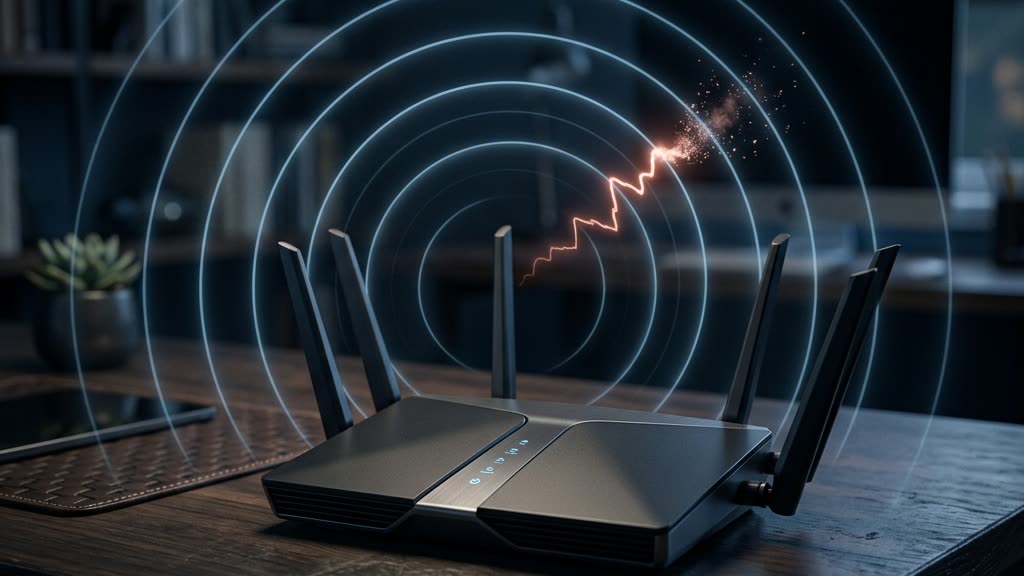
There is a detail about your wireless network that almost no product marketing bothers to explain: the frames that manage your Wi-Fi connection, the small signals that say “join,” “leave,” or “disconnect,” historically traveled with no protection at all. Anyone within radio range could forge them. When people ask me about wpa3 vs wpa2, this is the difference that matters most, and it is the one that gets buried under logos and speed claims.
In my years as an Electronic Warfare Officer, I spent a great deal of time thinking about signals that could be spoofed, jammed, or hijacked precisely because they were never authenticated. A deauthentication attack on a home network is the civilian cousin of problems I watched play out in the field. Once you understand it, you see why the move from WPA2 to WPA3 is not a cosmetic upgrade, and why several of the cameras families trust most quietly skip the exact feature that closes the hole.
What WPA2 Actually Left Exposed
WPA2 did a respectable job encrypting the data you send: your emails, your video streams, your browsing. That part worked. The problem lived one layer down, in what engineers call management frames. These are the housekeeping messages your devices and your router exchange to set up, maintain, and end a connection. A deauthentication frame is one of them, and its job is honest enough: it tells a device to drop off the network.
Under WPA2 in its common configuration, those management frames were sent in the clear and were not authenticated. Your router had no reliable way to confirm that a “disconnect now” instruction actually came from a legitimate device rather than from an attacker sitting in a car down the street. To the radio, a forged frame and a real one looked identical.
The deauthentication attack, in plain terms
Here is how it plays out. An attacker with an inexpensive wireless adapter and freely available software broadcasts forged deauthentication frames that appear to come from your router. Your laptop, your phone, and yes, your security cameras dutifully disconnect, because they were built to obey. The attacker does not need your password to do this. They do not need to be inside your walls. They only need to be within radio range.
Why would someone bother? Three reasons come up again and again:
- To harvest a handshake. When a device reconnects after being kicked off, it performs a cryptographic handshake. An attacker who captures that handshake can attempt to crack your password offline, at their leisure, with no further contact with your network.
- To run an evil twin. After knocking you off your real network, the attacker presents a rogue access point with the same name. Reconnect to the wrong one and your traffic now flows through their equipment.
- To create a blind spot. This is the one that should concern anyone protecting a home. A burst of deauthentication frames can knock wireless cameras and sensors offline at the exact moment they are needed. A camera that is disconnected is not recording, and law enforcement has documented physical break-ins that were timed around, or aided by, wireless interference.
That last scenario is why I treat this as a physical security issue, not just a networking curiosity. The device you installed to watch the door can be told to look away, and under old standards it will comply without question.
WPA3 vs WPA2: What Actually Changed
WPA3 is the Wi-Fi Alliance’s answer to these weaknesses, and two changes carry most of the weight.
The first is how you authenticate to the network. WPA3 replaces the older pre-shared key handshake with a method called Simultaneous Authentication of Equals. Without drowning you in cryptography, it does two useful things. It makes offline password guessing dramatically harder, because an attacker can no longer capture a handshake and grind on it indefinitely. And it provides forward secrecy, meaning that even if a password is compromised later, traffic recorded in the past cannot simply be unlocked with it. The National Institute of Standards and Technology, whose guidance you can review at nist.gov (opens in a new tab), has long pushed wireless security in exactly this direction.
The second change is the one this whole article is about, and it deserves its own section.
Protected Management Frames, the quiet hero
WPA3 makes Protected Management Frames mandatory. You may also see this called 802.11w. In plain language, PMF authenticates and protects those housekeeping messages that WPA2 left naked. When PMF is active, your router can tell the difference between a legitimate disconnect request and a forged one. The forged deauthentication frame arrives, fails the integrity check, and gets thrown away. The attack that used to knock your entire network offline simply stops working.
This is the fix. It is not glamorous, it will never appear on the front of a box, and it is the single most important reason to care about wpa3 vs wpa2 in a home full of connected devices. PMF can exist as an optional mode on some WPA2 gear too, but “optional” tends to mean “off,” and a feature that is off protects no one.
Why Consumer Cameras Skip It
Here is the uncomfortable part. Your router may fully support WPA3 and PMF, yet the cameras and smart devices hanging off it may not use either. The weakest device on the network sets the real security level, and cameras are frequently the weakest.
The reasons are mundane, which is why they persist. Many consumer cameras run on inexpensive, low-power chipsets chosen to hit a price point. Their firmware is often built on older wireless stacks that predate mandatory PMF, and the manufacturer has little commercial incentive to rewrite it once the unit has shipped. So the camera negotiates the connection down to WPA2 with management-frame protection disabled, and the whole household inherits that device’s exposure. I wrote more about this pattern in my field note on why connected devices are the weakest link on an estate, and cameras are the textbook example.
There is a related trap worth naming. Devices that lean entirely on the manufacturer’s cloud, the popular consumer camera brands among them, add a second dependency on top of a shaky wireless foundation. I have made that case separately in why cloud cameras like Ring and Nest are the weak link. A camera can be defeated at the radio layer, at the cloud layer, or both. For a high-value property, either is one too many.
What This Means for an Estate Network
None of this requires you to become a network engineer. It requires the people who design your network to make deliberate choices instead of accepting defaults. A few principles carry most of the value.
Prefer WPA3 with PMF required, not merely available. Where your router and devices support it, run WPA3 and set management-frame protection to required rather than optional. For older devices that cannot speak WPA3, a mixed mode is a compromise, and every compromise should be a decision you made on purpose.
Segment aggressively. Cameras, doorbells, thermostats, and other connected gear belong on their own isolated network segment, walled off from the laptops and phones that hold your financial and personal life. If a camera on WPA2 is compromised, segmentation keeps that failure from spreading. The Cybersecurity and Infrastructure Security Agency publishes solid, plain-language home network guidance at cisa.gov (opens in a new tab) that echoes this approach.
Watch the radio layer, do not just trust it. A network that only reacts after a device is breached is a network that finds out too late. A burst of forged deauthentication frames, a rogue access point broadcasting your network’s name, a camera dropping offline for no ordinary reason: these are detectable events. As the exclusive reseller partner for GuardDog AI, our veteran-owned team deploys, integrates, and tunes that enterprise intrusion-detection platform to flag exactly these anomalies on a home network, so a wireless interference event becomes an alert rather than a silent gap in your coverage. You can read how we fit it into a layered design on our GuardDog integration page.
For a full walkthrough of building this properly, from router configuration to segmentation to monitoring, start with my home network security guide for high-net-worth households. And remember that the strongest wireless standard in the world does not help if someone talks their way past it. Many of the most damaging incidents I see begin not with a forged frame but with a convincing message, which is why I pair every network review with the human layer covered in phishing scams targeting wealthy families.
For waterfront properties where neighbors, and their radio range, sit unusually close, this matters even more. On barrier islands like Marco Island, a car parked one lot over is well within reach of your management frames, and that geography changes the threat model.
Frequently Asked Questions
Does upgrading my router to WPA3 fully protect me from deauth attacks?
Only partly. WPA3 makes Protected Management Frames mandatory for the connection between your router and any device that also supports WPA3. Older devices that fall back to WPA2 without PMF remain vulnerable at the radio layer, and cameras are the usual culprits. The router is necessary but not sufficient; the devices have to keep up.
How can I tell whether my devices support Protected Management Frames?
Check the specification sheet or admin app for “PMF,” “802.11w,” or “management frame protection.” Many consumer cameras simply do not list it, which is itself an answer. When documentation is silent or unclear, treat the device as unprotected and isolate it on its own network segment rather than assuming the best.
Is a deauthentication attack really a threat to a private home?
Yes, and its value to a criminal is precisely that it needs no password and no physical entry. The most concerning use is timing: knocking wireless cameras offline during a burglary so nothing is recorded. Treating it purely as an IT problem misses the physical security consequence entirely.
Should I stop using wireless cameras altogether?
Not necessarily. The goal is a design that assumes any single device can fail. Wired cameras where practical, strict network segmentation, WPA3 with PMF required where supported, and active monitoring of the radio layer together make one compromised camera an inconvenience instead of an open door.
The shift from WPA2 to WPA3, and specifically the arrival of mandatory Protected Management Frames, closes a gap that quietly persisted for years. But closing it on paper and closing it across a real household of mismatched devices are two different tasks, and the second is where most homes fall short. If you would like a discreet review of how your property’s network and cameras actually hold up against these attacks, request a private consultation or call our team directly at (239) 710-1772.